01EXPLORE
Browser-based BIM & 3D
Explore infrastructure models directly in your browser. Bring the geometry into view without traditional desktop BIM software.

- Together, we build better
Private alphaExplore BIM models, point clouds and terrain together in your browser. Understand project geometry, inspect details and see what changed between revisions.
01 / THE PRODUCT
Infrastructure information is more useful when you can see how it fits together.
Explore infrastructure models directly in your browser. Bring the geometry into view without traditional desktop BIM software.
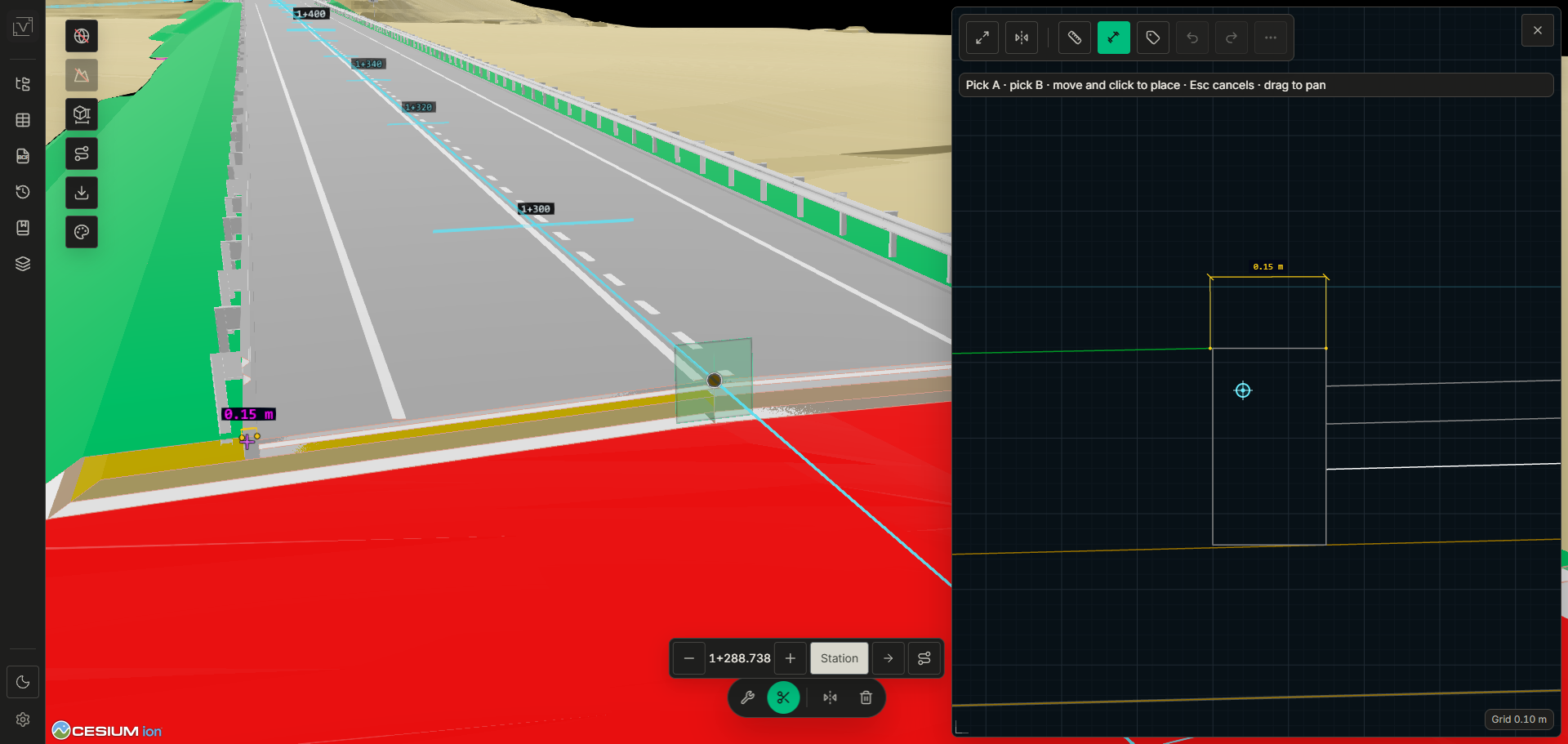
See models alongside point clouds and terrain. Understand the relationship between design geometry and its spatial context.
Compare model revisions and identify geometric changes. Give revision descriptions the visual context they often lack.
Move from the overall project to an individual element. Inspect model objects and the information associated with them.
Measure distances, use clipping to look inside a model and explore alignment-related workflows in context.
02 / REVISION COMPARISON
A new revision. A short description. A change that’s hard to place.
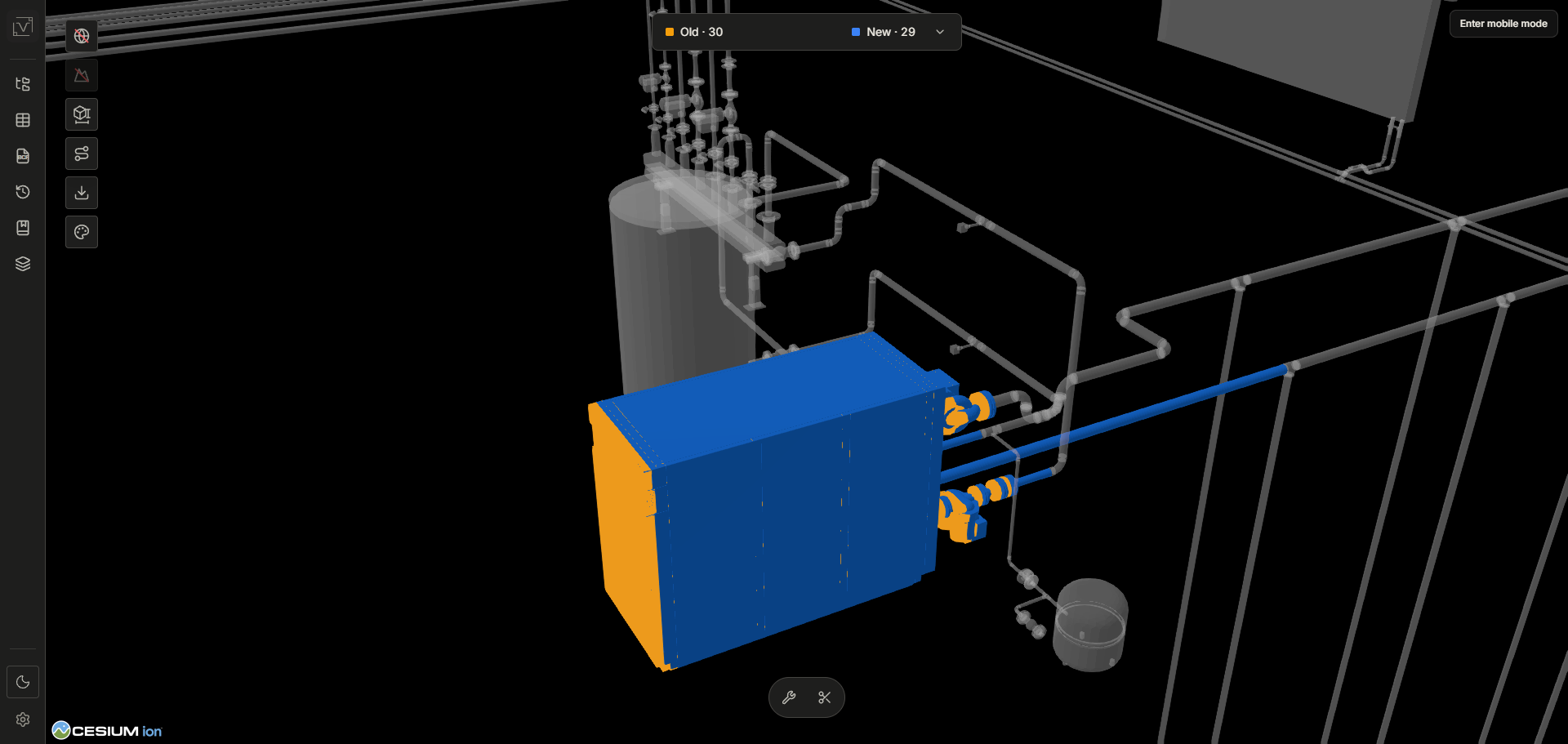
Not everyone on site was in the meeting. INVARRI helps make geometric changes visible directly in the model, so the people doing the work can understand what is different.
01 / THE WIDER VIEW
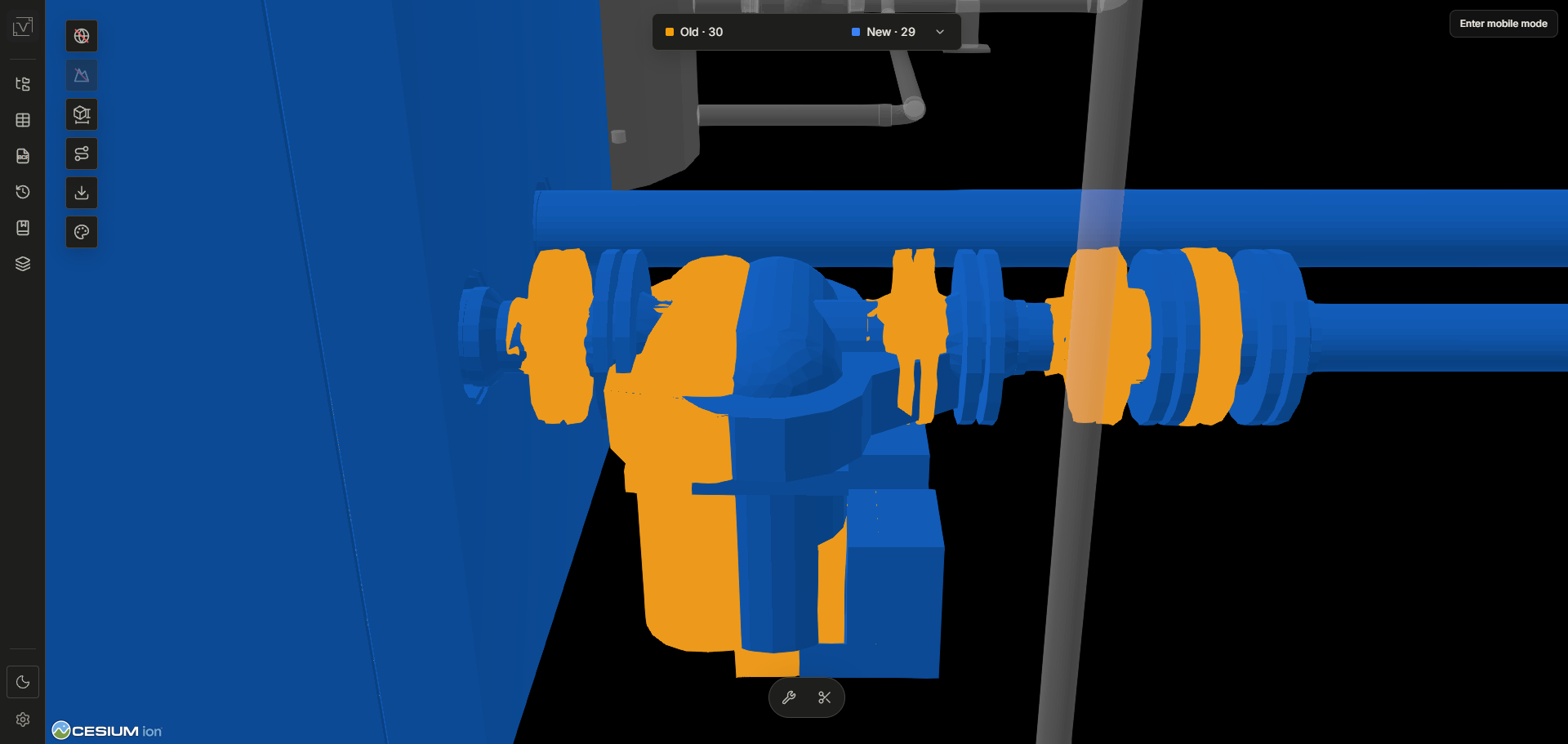
02 / THE DETAIL
Choose the model versions you want to understand.
Look at what differs directly in the model.
Inspect the surrounding geometry and discuss what it means for the work.
03 / THE TECHNOLOGY
BIM, GIS and 3D visualization, brought together around the project.
04 / BUILT FOR THE WORK
Technical information should be accessible to the people who need to act on it.
INVARRI is being built for infrastructure teams, from the office to the construction site. The aim is practical: less time interpreting disconnected information, more clarity about the work ahead.
PRIVATE ALPHA / LET’S TALK
Working with infrastructure models, point clouds or project revisions? Tell us about your workflow.
We’re in private alpha and would like to hear from people working with these challenges.
Request accesscontact@invarri.no